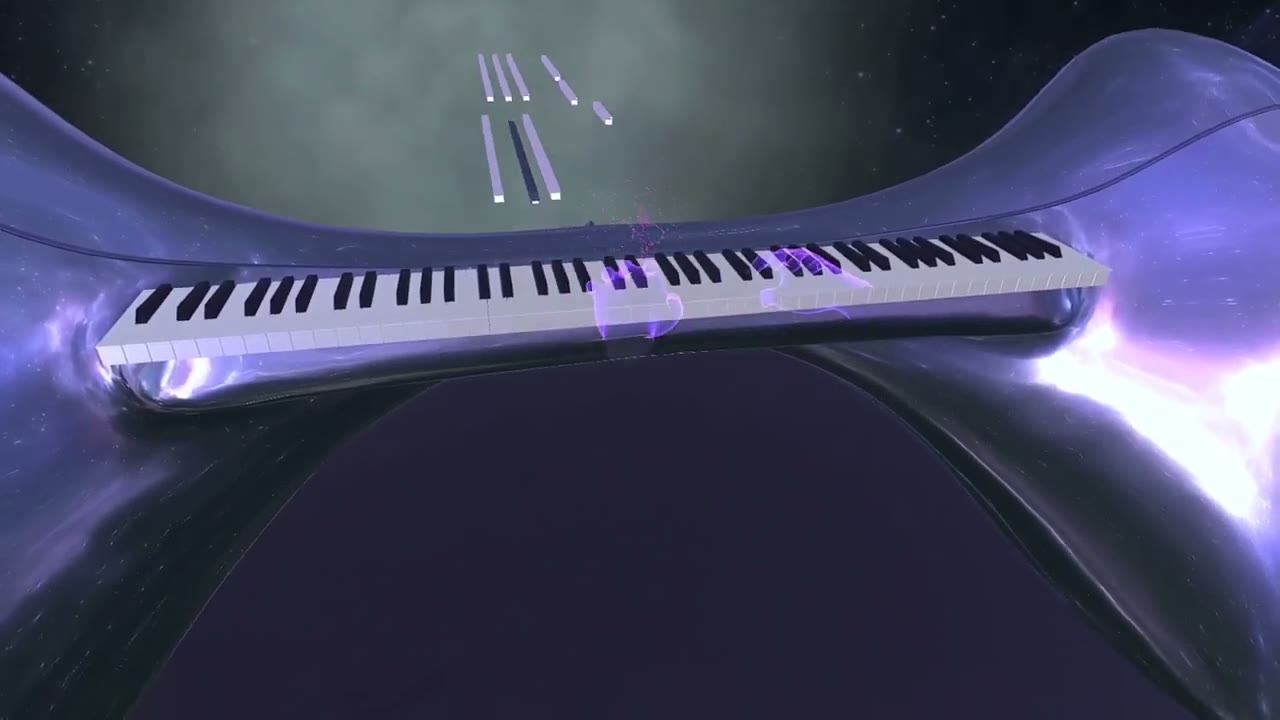
The Fun Way to
Actually Learn Music
Building inside the ecosystems that matter

Member of Meta Horizon Start, Meta's developer programme. Live and paid on the Meta Horizon Store.

Selected for the HTC VIVERSE creator collaboration - Museverse in the browser, no headset install.

Top 1% acceptance into TRMNL4, the Meta-partnered accelerator.
More major XR ecosystems under wraps. Announcements soon.
This Is What Practice Looks Like Now
Notes fly toward your instrument. Hit them and the room lights up. Miss, and you simply try again - no judgment, no boring drills.
Your Phone Can't Teach You Piano
2D mobile apps put the lesson on a flat screen and make you look away from your instrument to follow it. Spatial learning puts the lesson on the instrument itself.
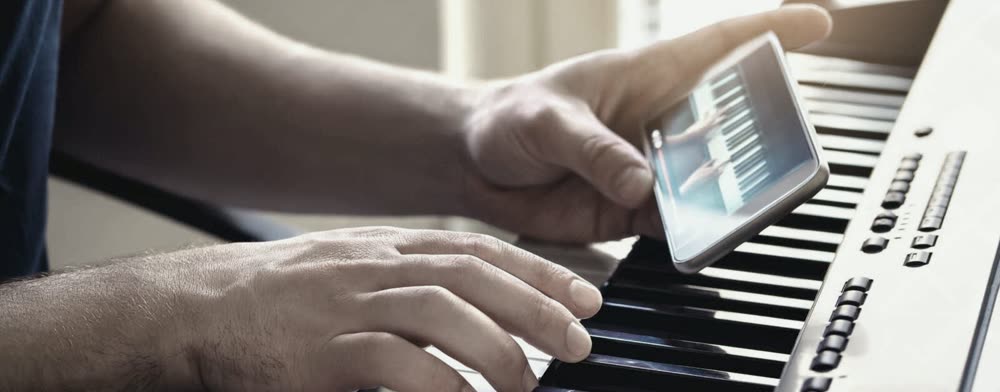
Learning on a 2D screen
- Flat screens can't teach body posture, depth, or finger positioning.
- Your eyes jump between the screen and the keys - every glance away pulls your focus off the music.
- Practicing alone on a flat screen is where most beginners lose momentum and quit.
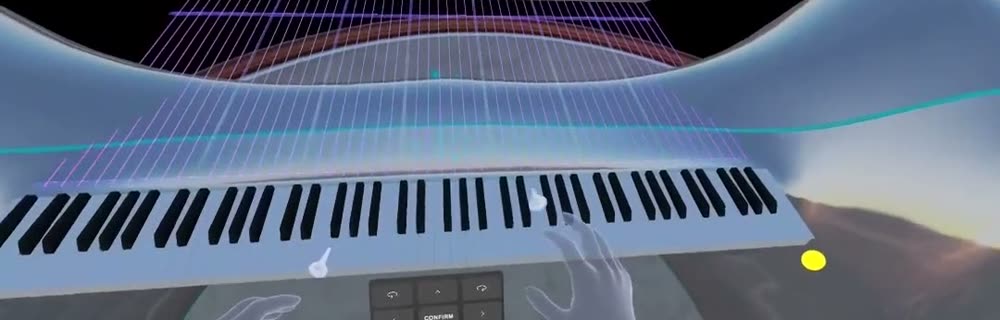
Learning in spatial reality
- Guidance lands directly on the instrument in front of you - posture, depth, and finger position included.
- You see a teacher's hands from your own point of view - impossible on a phone.
- In our early-access research, players practice far longer in the headset than they did on a flat screen.
- Immersion makes practice feel like play - and that's what keeps our players coming back.
Spatial-learning results reflect our early-access research. Immersive learning also drives measurably higher engagement - PwC found VR learners up to 4x more focused than their e-learning peers.
From Zero to Your First Song - Tonight
The fix isn't more discipline - it's practice you actually look forward to. Here's the path in Museverse:
Your first lesson
Smash your very first lesson and earn your first 3 stars.
Finish the easy tier
Complete the easy lessons and graduate to medium difficulty.
Real songs
Start playing full songs and chord progressions you'll actually recognize.
The lesson map
36 lessons per instrument in three tiers. Each one takes a few minutes, earns up to three stars, and unlocks the next.
- 6
- 7
- 8
- 9
- 10
- 11
- 12
- 1
- 2
- 3
- 4
- 5
- 6
- 7
- 8
- 9
- 10
- 11
- 12
- 1
- 2
- 3
- 4
- 5
- 6
- 7
- 8
- 9
- 10
- 11
- 12
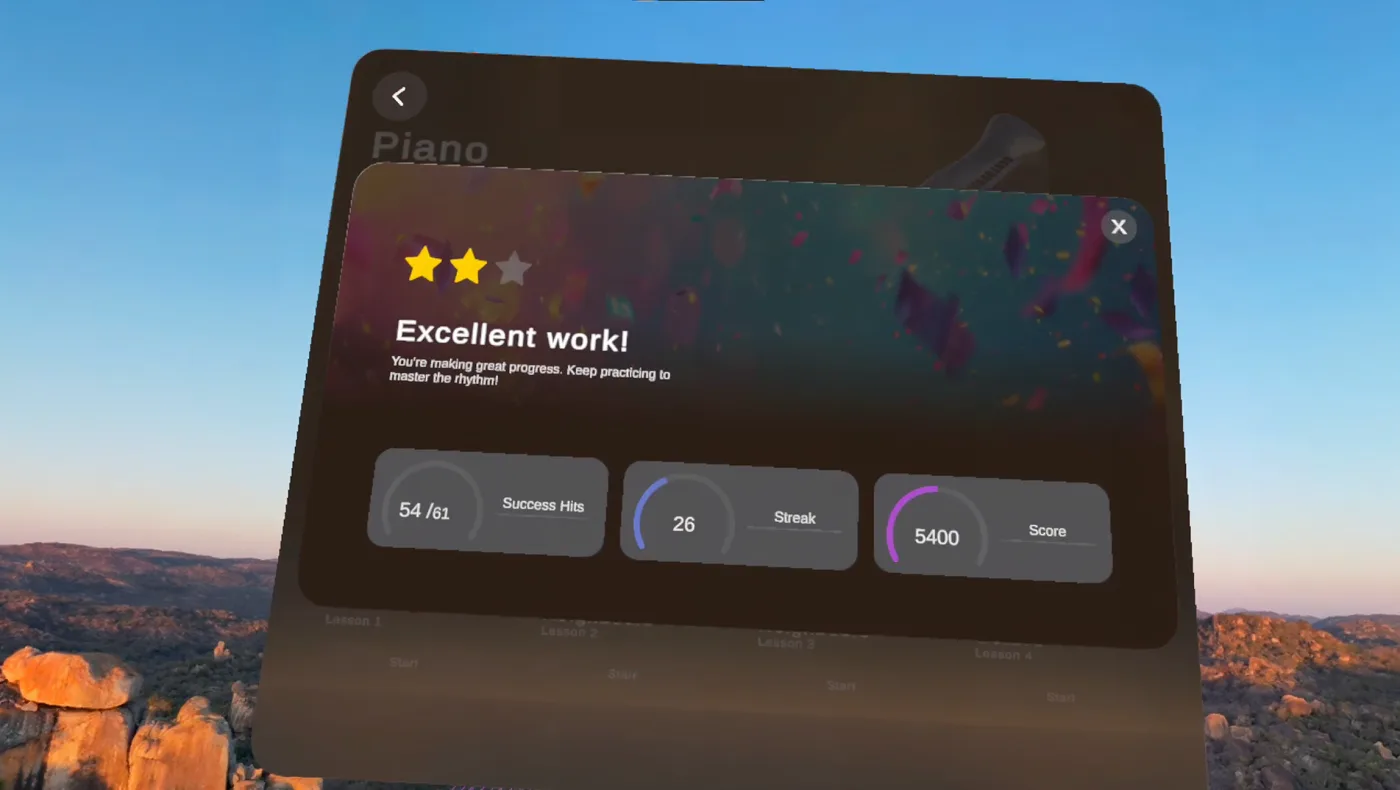
Those first minutes matter, so we rebuilt them from scratch - watch the new onboarding.
Museverse works alongside real lessons or on its own - and the whole app costs less than a single private lesson.
Where to play Museverse
One app, built for the ecosystems we are in. Pick where you play.
Under wraps
Coming soonLighter than a headset. Not announced yet.
Under wraps
Coming soonAnother headset. Not announced yet.
Your Real Piano, Inside VR
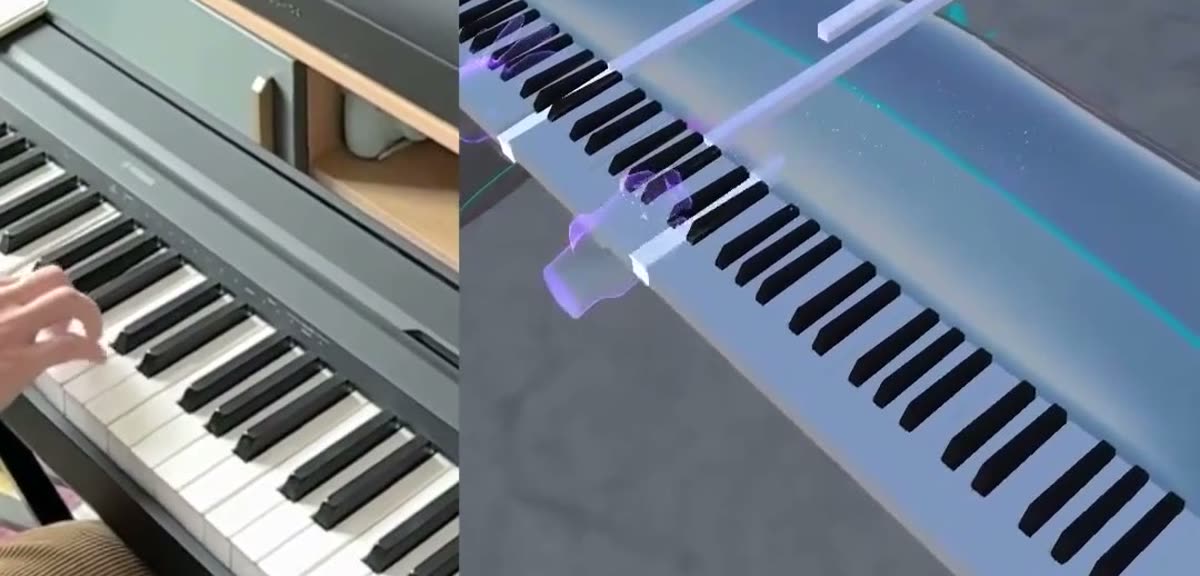
Connect any MIDI keyboard and Museverse maps it into the headset, key for key. On a phone you can't see a teacher's hands - in VR you see everything from your own point of view.
Plug in
Connect your keyboard via USB or Bluetooth MIDI - most models just work.
Calibrate
A quick 3-step wizard aligns your physical keys with the virtual ones.
Play
See your real hands and keys through passthrough while lessons guide you.
Four Instruments. One Set of Skills.
Lessons teach transferable music skills - rhythm, melody, timing - so what you learn on one instrument carries to the next.
Three live today - piano, taiko drums, marimba. Harp next.
Piano
The flagship. Works with your real MIDI keyboard over USB or Bluetooth - calibrated key-for-key into VR.

Taiko Drums
Pure rhythm and energy. No extra gear - just your controllers.

Marimba
Melody made visible. Our players' surprise favorite - no gear needed.
Harp
Coming soonPlayed with your bare hands using hand tracking - no controllers at all.
Built for Learning, Not Just Playing
Museverse is not a rhythm game with a piano skin. Every feature exists to get real music into your hands.
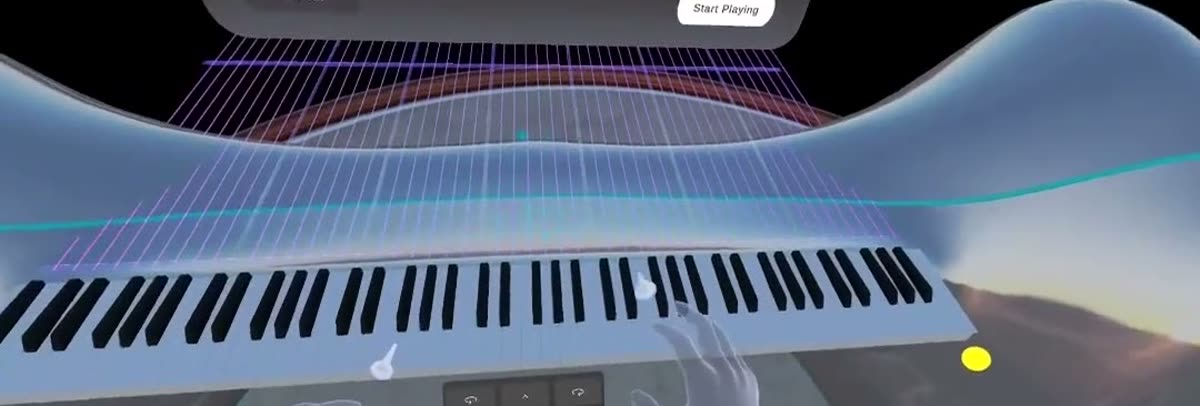
Real Instrument Sync
Plug in a MIDI keyboard and every key you press counts. Real feedback, on your real instrument - not an air piano.
A Structured Path
36 lessons per instrument across easy, medium, and hard tiers - a clear road from first note to full songs.
Instant Feedback
See every hit and miss the moment it happens, so small mistakes never become bad habits.
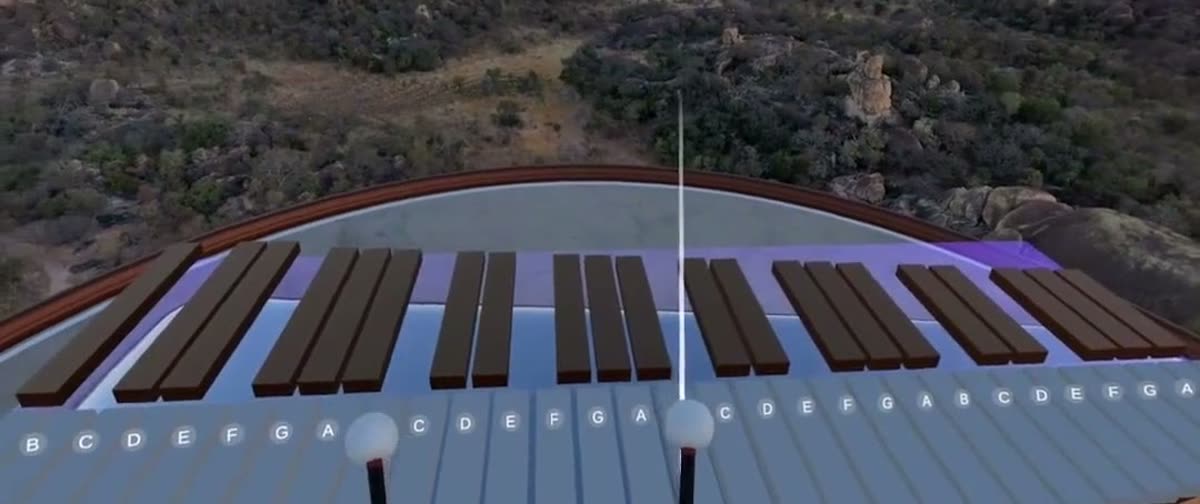
Lessons That Feel Like Play
Short, game-like sessions with instant wins. The fun keeps you coming back - the learning makes it worth it.

AI Tutoring
In developmentWe're building adaptive tutoring that reads how you actually play and suggests what to practice next - like having a teacher in the room. In early prototype now.
Mixed Reality
Passthrough mode blends virtual guidance with your real room and your real instrument.
Works Offline
Download once, practice anywhere. No internet required in the middle of a session.
early adopters on Meta Quest
Here is what 100 of them told us.
"It genuinely accelerated my learning."
"Incredibly realistic - I forgot I was in a headset."
"I sat down for ten minutes and lost track of time."
"It genuinely accelerated my learning."
"Incredibly realistic - I forgot I was in a headset."
"I sat down for ten minutes and lost track of time."
"It genuinely accelerated my learning."
"Incredibly realistic - I forgot I was in a headset."
"I sat down for ten minutes and lost track of time."
"It genuinely accelerated my learning."
"Incredibly realistic - I forgot I was in a headset."
"I sat down for ten minutes and lost track of time."
Questions, Answered
Can you really learn piano in VR with Museverse?
Yes. Museverse maps a real USB or Bluetooth MIDI keyboard into VR and guides your hands from a first-person point of view with real-time feedback. Most beginners play their first song in about 20 minutes.
What headset do I need to play Museverse?
Museverse runs on the Meta Quest headset and is live in Early Access on the Meta Quest (Meta Horizon) Store. In the browser it runs on HTC VIVERSE: open it from a link, no install.
Do I need a real piano or keyboard?
Not for taiko drums or marimba - those use only your controllers. For piano, connect any USB or Bluetooth MIDI keyboard and Museverse calibrates it into VR, key for key.
How much does Museverse cost?
Museverse is a one-time purchase on the Meta Quest Store, with no subscription. Check the store listing for the current price.
Is Museverse good for complete beginners?
Yes. Museverse is designed for total beginners with no prior music theory. Lessons start from your first note and build up in short, game-like sessions.
What instruments can you play in Museverse?
Piano, taiko drums, and marimba today, with harp coming soon. Lessons teach transferable skills - rhythm, melody, and timing - so what you learn on one instrument carries to the next.
Is Museverse just a rhythm game or does it actually teach music?
It is built for learning, not just playing. Each instrument has structured 36-lesson paths, real-time feedback on your performance, and real-instrument play - not just tapping notes to a beat.
Built in the Open, With Our Players
We're a small studio of musicians and XR engineers, and every bit of support means a lot. Join the Discord to shape what we build next - or jump straight in on the Quest Store.
Not ready to put on a headset yet?
Get product news and launch updates straight to your inbox.